Troubleshooting
Tracking stopped by itself
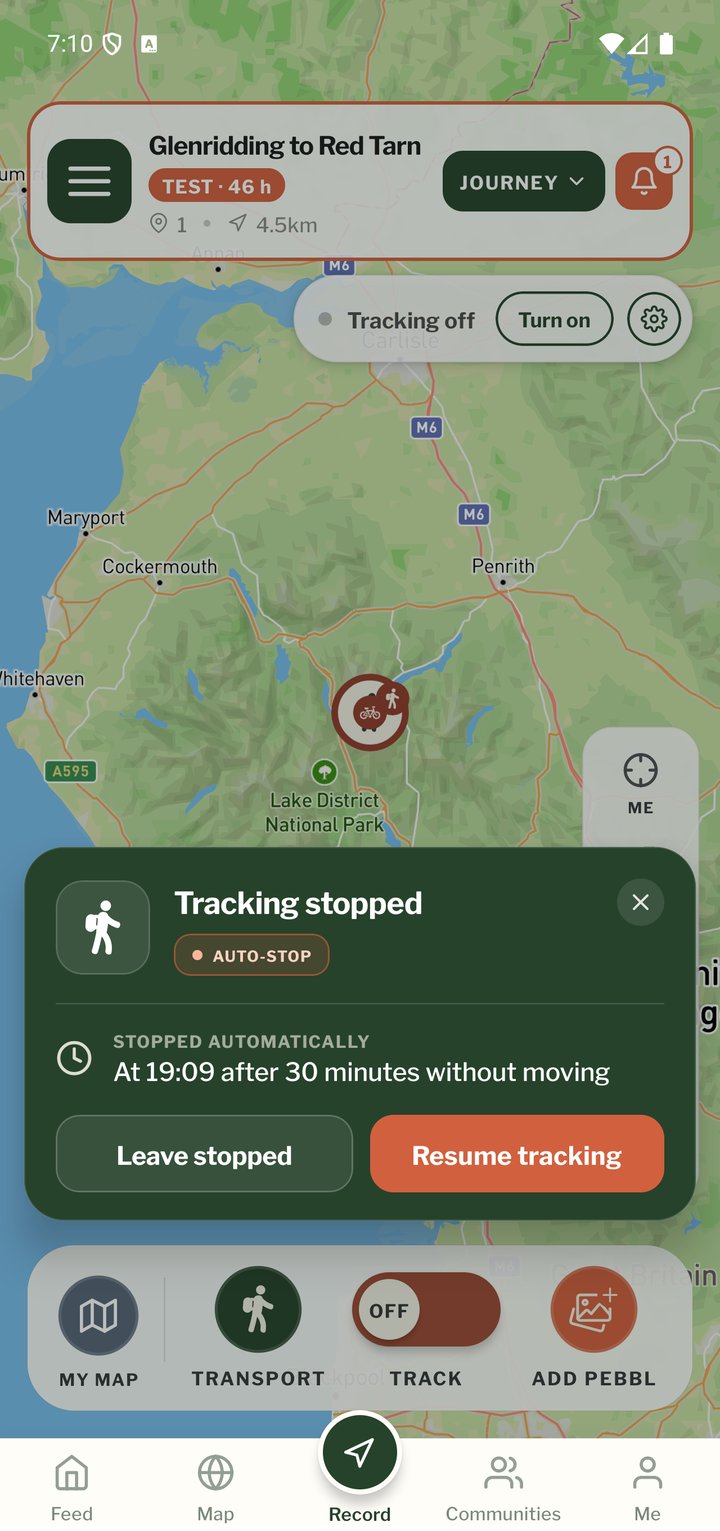
Most often this is the auto-stop: you were still for longer than the auto-stop time. The card on the map tells you when and why (the notification says why), and Resume tracking starts again. If it stops while you are moving, check the location permission is Always (Pebbls warns you when it isn't; see "App Permissions") and, on Android, that battery optimisation is off for Pebbls. If Pebbls was closed while you were tracking, you'll see Tracking was interrupted when you next open it. See Battery in "GPS tracking".
Gaps or jumps in the route
Usually poor GPS signal (see "GPS Signal Tips"), a phone that paused the app, or location set to While Using the App, which on iPhone can stop recording in the background. The track editor fixes most of these: see "Fix your route with the track editor". If a route looks wrong and you can't fix it, email hello@pebbls.com with the journey and chapter and we'll take a look.
My route or photos aren't online
Open Uploads (the cloud next to your name in the menu). If items are waiting, check you have a connection and that Settings › Uploads is not waiting for Wi-Fi. Tap Upload now. Then allow up to 5 minutes for the website to update.
No flyby film
Chapter films are made for chapters with more than 5 km of route, a recorded track of more than 120 GPS points, and at least 2 pebbls and 3 photos that aren't private. Password-protected journeys get them too. Test journeys don't, and nor does a chapter that is only a flight. The film is made about an hour after the last change. A film of the whole journey has its own rules. See "Flyby films".
Date and time warning
Pebbls timestamps every point and Pebbl with your phone's clock. If the clock is wrong, points arrive out of order and Pebbls land in the wrong chapter, so the app warns you. Fix: phone Settings › Date & Time › set automatically, then restart Pebbls.
"This chapter was created with a newer version"
Someone (or you, on another phone) edited the chapter with a newer app. Update Pebbls from the App Store or Google Play and open it again.
Last resorts
- Settings › Advanced › Restart App
- Settings › Advanced › Restore Defaults (keeps your journeys)
- Settings › Support › Report a Bug, or Send Location Logs, then email hello@pebbls.com with what happened
Mobile app
- The Record screen
- The bar at the bottom
- GPS tracking
- Journeys with no pebbls
- Live and standard tracking
- Tracking on the lock screen
- Transport modes
- The JOURNEY menu
- Tools on the Record map
- The country you're in
- Phrasebook
- Daylight
- Signpost
- Packing list in the app
- Safety plan in the app
- Editing a chapter
- Editing journey details
- App permissions
- App settings
- Offline maps and places
- Syncing and uploads
- Mobile data usage
- GPS signal tips
- Notifications