Phrasebook
Which language it opens in
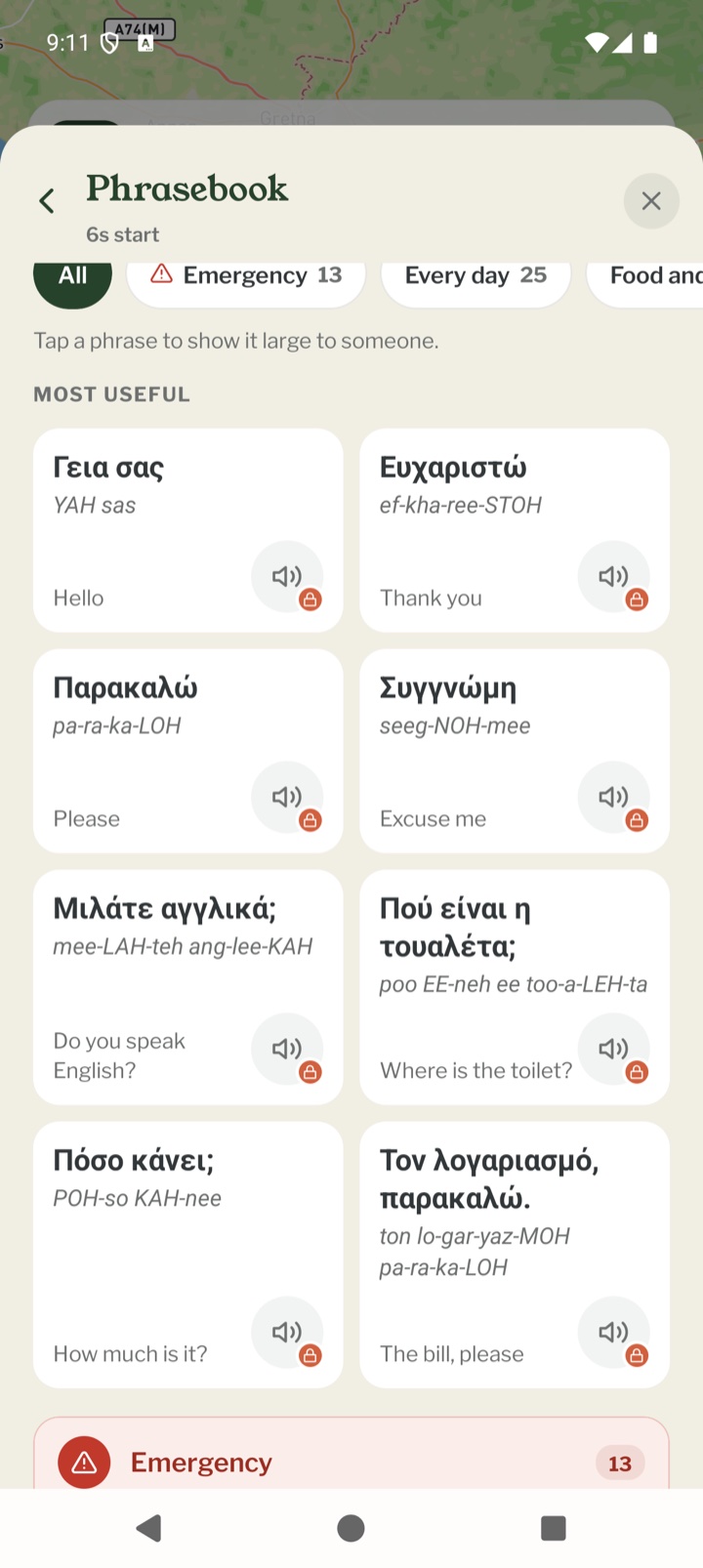
Open TOOLS on the Record map and tap Phrasebook. It starts with the main language where you are. If the phone can't tell where you are, it goes by the country your phone is set to, and failing that it asks you to pick one. The country's languages are along the top under Spoken here, and Other languages has the rest. It remembers what you picked for that country.
Which languages there are
Every language has the emergency phrases, and more and more have a full phrasebook. The language list shows which is which with Full phrasebook or Emergency lines only. If you pick your own language there's nothing to translate, and it says so.
Finding a phrase
Most useful comes first, with things like hello, thank you and where the toilet is, then the phrases for how you're travelling. Type in Find a phrase to search, or tap a set along the top, such as Emergency, Every day, Food and drink or Getting around. Which sets there are depends on the language.
Showing a phrase
Each phrase starts with what it means in your language, in bold, so you can find the one you want. Under it are the words in the local script and how to say them. Tap a phrase and it fills the screen, so you can hold the phone up to someone.
Parts and kit
Straight after the phrases for how you're travelling come the words you'd need at a shop counter or a garage. Bike parts such as an inner tube or brake pads, car and van parts such as jump leads or a fuse, boat parts such as an impeller or a shackle, and camping and walking kit such as a gas cartridge or blister plasters. Tap one to show it large to whoever is serving you.
Your phrases
Tap the bookmark beside a phrase's play button to keep it in Your phrases, which then sits at the front of the sets. Tap it again to take it out. Your phrases are kept on this phone, for each language.
Hearing a phrase
Tap the speaker to hear a phrase said out loud. A tick on the speaker means that phrase is on your phone and plays with no signal. The others play when you have signal. Signs you'll see have no sound, as they're for reading. Not every language has sound yet. Where a language has no recordings, there's no speaker.
Keeping the sound on your phone
The emergency phrases have sound for everyone. When you open a language and have signal, its emergency sound downloads by itself, so it's there if you need it. It doesn't do that for your own language. The sound card has two rows, Emergency phrases and All the other phrases. On your phone means it's there and plays with no signal. Download, with the size beside it, gets it, and while it's downloading you can stop it. The bin deletes the sound but keeps the words, and the sound won't come back by itself until you download it again.
With Explorer
Hearing all the other phrases, and keeping their sound on your phone, comes with Explorer. Without it those speakers have a small lock and All the other phrases says With Explorer. The words are free for everyone.
Good to know
We're still adding phrases and improving the ones there are. If one sounds wrong to a local, let us know through Contact Pebbls in the menu.
Mobile app
- The Record screen
- The bar at the bottom
- GPS tracking
- Journeys with no pebbls
- Live and standard tracking
- Tracking on the lock screen
- Transport modes
- The JOURNEY menu
- Tools on the Record map
- The country you're in
- Daylight
- Signpost
- Packing list in the app
- Safety plan in the app
- Editing a chapter
- Editing journey details
- App permissions
- App settings
- Offline maps and places
- Syncing and uploads
- Mobile data usage
- GPS signal tips
- Notifications
- Troubleshooting