The country you're in
Where to find it
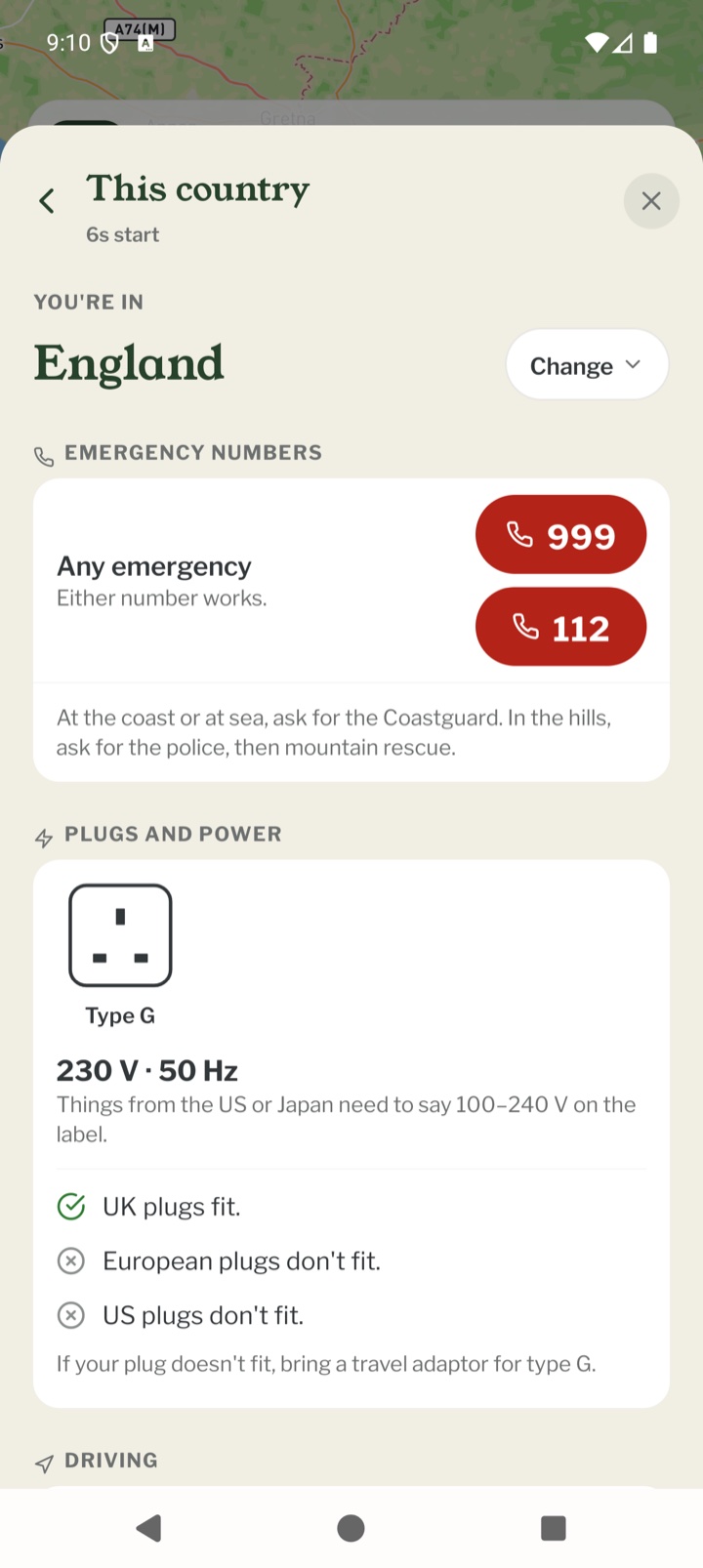
Open TOOLS on the Record map and tap the first tile, the one with the country's name on it. It starts with the country your phone is in. If the phone can't tell where you are just now, it goes by where it was last, or by the end of your chapter's line, and says so. Everything on it is stored in the app, so it works with no signal.
Looking at another country
Tap Change to look somewhere else. The list starts with where you are, the countries on your trip (from the places in your packing list) and the countries next door, then All countries. To come back, tap Back to, followed by the name of the country you're in.
Emergency numbers
The red buttons open your phone's dialler with the number in it. We only show numbers that official sources agree on. Where they disagree about other numbers, a line says so and suggests you ask a local which to ring. A number only one official source lists is marked Only one official source lists this. Some countries have a note under the numbers, such as asking for the Coastguard at the coast.
Plugs and power
A drawing of each socket type, the voltage, and whether UK, European and US plugs fit, go in loosely or don't fit. If yours doesn't, it says which travel adaptor to bring. Some sockets have a note, for example where a slim two-pin plug fits but a round one with an earth doesn't.
Crossing a border
When a border is within about 35 km, or the next country on your trip is next door, an Over the border card compares the two countries: the side of the road, money, the clock, plugs, the emergency number, the drink-drive limit and wild camping. It says how many of those change, and Look at opens the other country. You get the same card when you use Change to look at a neighbouring country.
Driving
Which side of the road to drive on, speed limits in towns, out of town and on motorways, the drink-drive limit (with the lower one for new or professional drivers where there is one), what you must carry in the car, headlights by day, winter rules and tolls. Where we haven't checked a country's road rules yet, it says so. Road signs always come first.
Money and time
The currency, the country's calling code, and the local time compared with your phone, such as 1 hour ahead of your phone. Countries with more than one time zone say how many there are.
Public holidays
Public holidays in the next 30 days, when banks and many shops may be shut.
Wild camping
Whether wild camping is allowed, not allowed, or depends on the region, with any exceptions. Where we haven't been able to check, it says so. Ask locally before you pitch.
Languages
The languages spoken there. Open the phrasebook goes straight to the phrasebook.
If something's wrong
At the bottom is the month the facts were checked, and Report a mistake. Pick the part that's wrong and your email app opens a message to hello@pebbls.com with the country and that part in the subject. Some notes, such as road and camping details, are only in English for now. The same facts are in the Before you go box on the website's country pages.
Mobile app
- The Record screen
- The bar at the bottom
- GPS tracking
- Journeys with no pebbls
- Live and standard tracking
- Tracking on the lock screen
- Transport modes
- The JOURNEY menu
- Tools on the Record map
- Phrasebook
- Daylight
- Signpost
- Packing list in the app
- Safety plan in the app
- Editing a chapter
- Editing journey details
- App permissions
- App settings
- Offline maps and places
- Syncing and uploads
- Mobile data usage
- GPS signal tips
- Notifications
- Troubleshooting