App settings
Finding your way around
Open the menu and tap Settings, or the gear next to your name. The Settings screen shows one row per group with its current value, so you can see at a glance whether auto-stop is on or which units you are using.
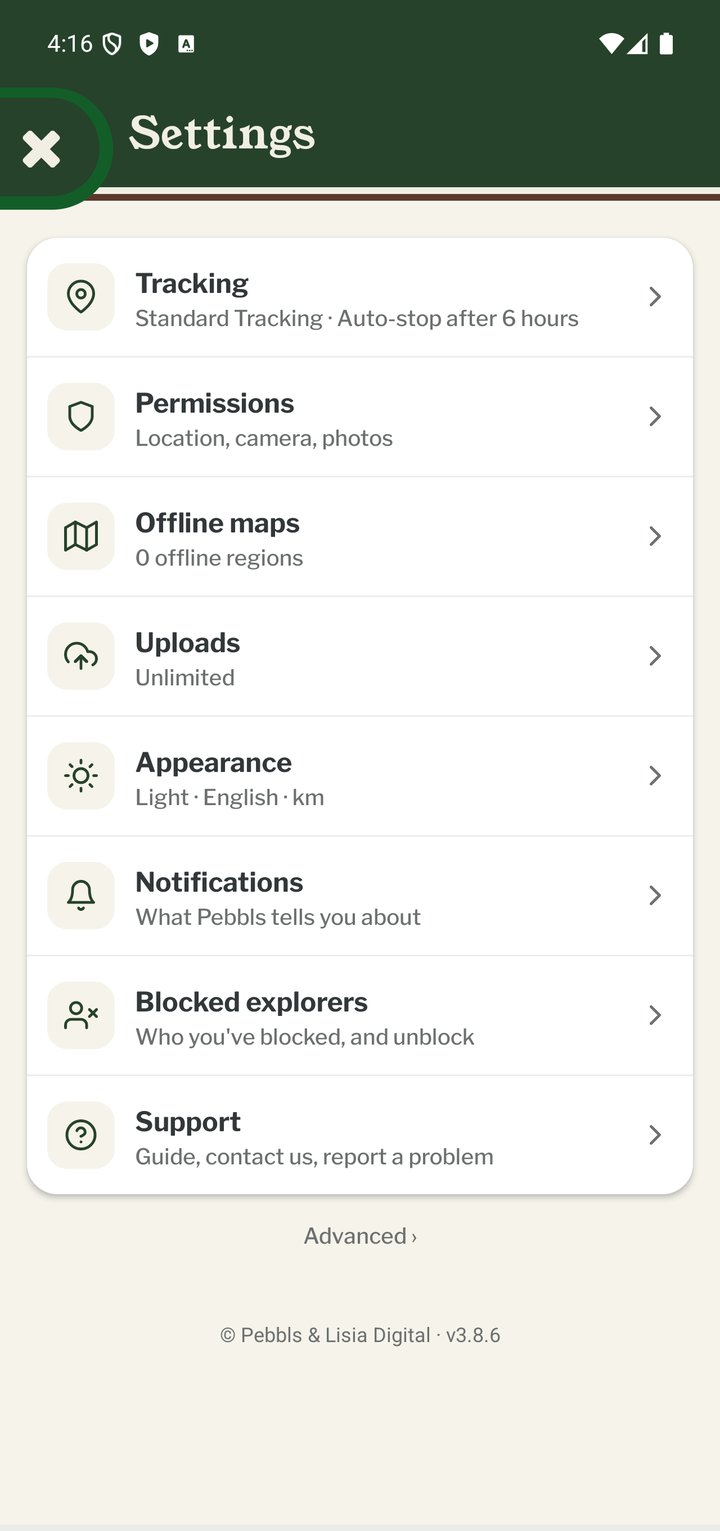
Tracking
Live or Standard tracking, Battery saver, Tracking Privacy and the auto-stop time.
Permissions
The status of location, camera, photo and notification permissions, with a shortcut to the phone's settings.
Offline maps
Download map regions for use without signal. See "Offline Maps".
Uploads
When photos, videos and GPS data are uploaded: over any connection, large files on Wi-Fi only, all media on Wi-Fi only, or media and GPS on Wi-Fi only.
Appearance
Theme: Light, Dark or System (follows your phone). Language. Distance Units: kilometres or miles, used everywhere in the app and on your cards. Haptics: the small vibrations on taps and toggles; turn them off if you dislike them.
Notifications
Which push, website and email notifications you receive. See "Notifications".
Blocked explorers
Its own row on the main Settings screen: everyone you've blocked, with Unblock next to each. See "Reporting and blocking".
Support
Open this help guide, Contact Us, Report a Bug, Send Location Logs, replay the Welcome Guide, and Check for Updates. Small updates download in the background and then show Restart to Update; restarting takes a few seconds and keeps your data. Bigger updates come from the App Store or Google Play. After a long trip you may also see "Enjoying Pebbls?", an invitation to leave a review, which you can dismiss or answer I've Already Reviewed.
Advanced
Diagnostics sharing, Restart App, System Settings and Restore Defaults. You rarely need these unless support asks.
Mobile app
- The Record screen
- The bar at the bottom
- GPS tracking
- Journeys with no pebbls
- Live and standard tracking
- Tracking on the lock screen
- Transport modes
- The JOURNEY menu
- Tools on the Record map
- The country you're in
- Phrasebook
- Daylight
- Signpost
- Packing list in the app
- Safety plan in the app
- Editing a chapter
- Editing journey details
- App permissions
- Offline maps and places
- Syncing and uploads
- Mobile data usage
- GPS signal tips
- Notifications
- Troubleshooting