Share your journey
The share panel
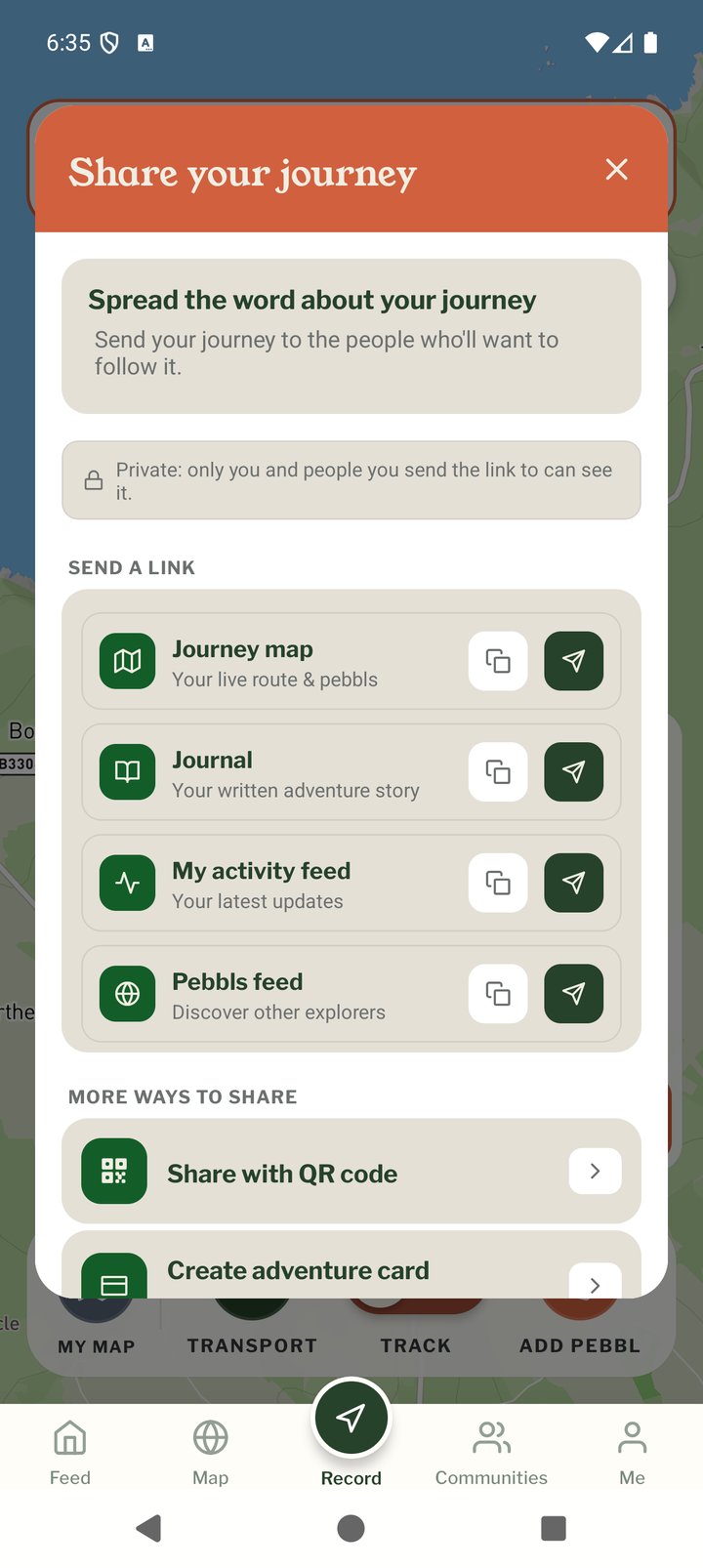
Tap SHARE on the right of the Record screen, or Share on the journey card in the menu. If the journey is private or password-protected a note at the top says so; then everything you can send is listed.
When you start a journey
Once the first chapter of a new journey is tracking, Record shows Send your trip to the people at home. Send the link opens your phone's share options with the journey's link. It opens your map in any browser, so they don't need the app, and they can ask for a short email on evenings with news. On a private journey it says that only people with the link can see it. Later closes it for that journey. Test journeys and password-protected journeys don't get it.
Send a link
Each row has a copy button and a send button that opens your phone's normal Share menu (Messages, WhatsApp, email and so on).
- Journey map: your live route and Pebbls
- Journal: the written, scrollable version
- My activity feed: your latest Pebbls
- Out there on Pebbls: the public posts, for people who want to discover other explorers
More ways to share
- Communities: post the journey to a community you belong to (public journeys only)
- Share with QR Code
- Create Adventure Card
- Embed on Website and WordPress Plugin
- Download GPX (free for your own journeys)
- Share Pebbls: share an individual Pebbl
Sharing from the website
Every Pebbl in the feed, and every journey and chapter on the map and in the journal, has a Share button. It has Copy link, WhatsApp, Email, Facebook, X, Threads and Bluesky, and on a phone also Messages and Send…, which opens your phone's own share menu. On a journey it also has Print or download a map and Animated map.
While travelling or afterwards
The link never changes, so share it before you set off and people can follow along, then re-share when the journey is complete. Followers with an account are notified of new chapters and Pebbls automatically.