Print or download a map
What you get
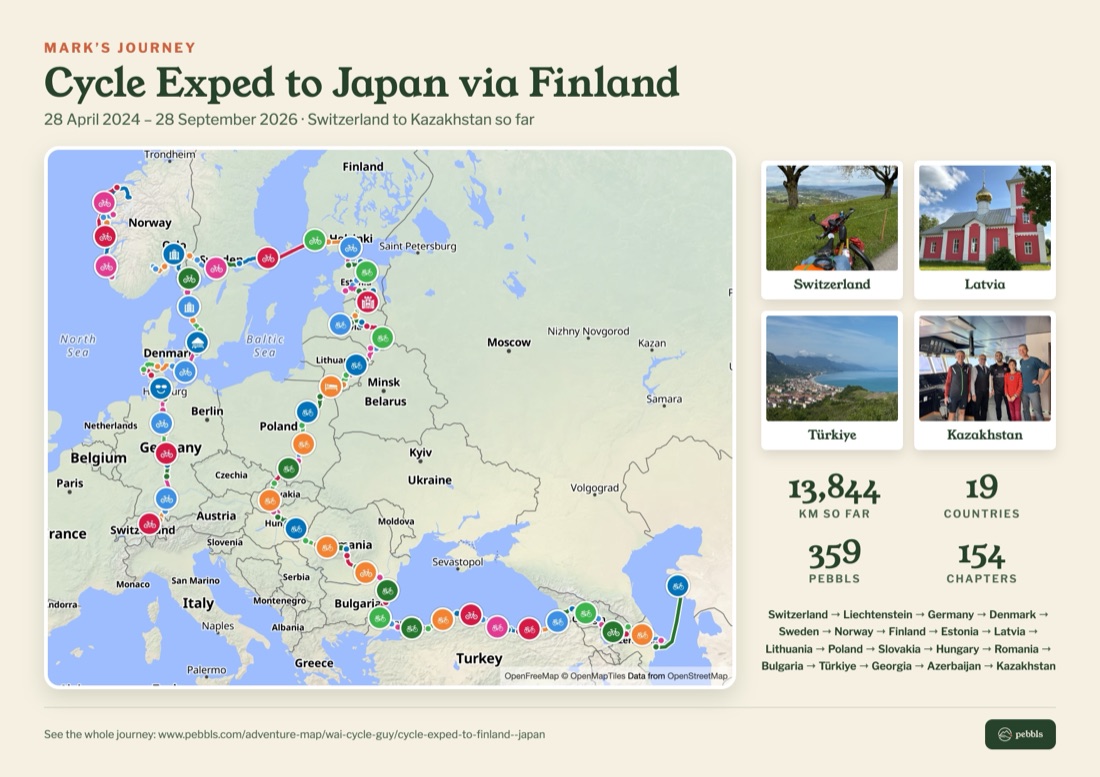
One page with the journey's title and dates and the whole route on a map, each chapter in its own colour. A key lists the chapters in the same colours, with numbered stops on the map to match. A strip of numbers shows the distance, days, chapters, pebbls and countries, and up to six photos from along the way each carry their chapter's number. With a long list of chapters, fewer photos fit. A journey without photos still makes a good page, with more room for the map. The words on the page are in English, German, Spanish, French, Italian or Dutch, following the language you use Pebbls in; journey and chapter names stay as you wrote them. It's made from the journey as it is when you make it.
How to make one
- On the website, open the journey on the map or in the journal and tap Share
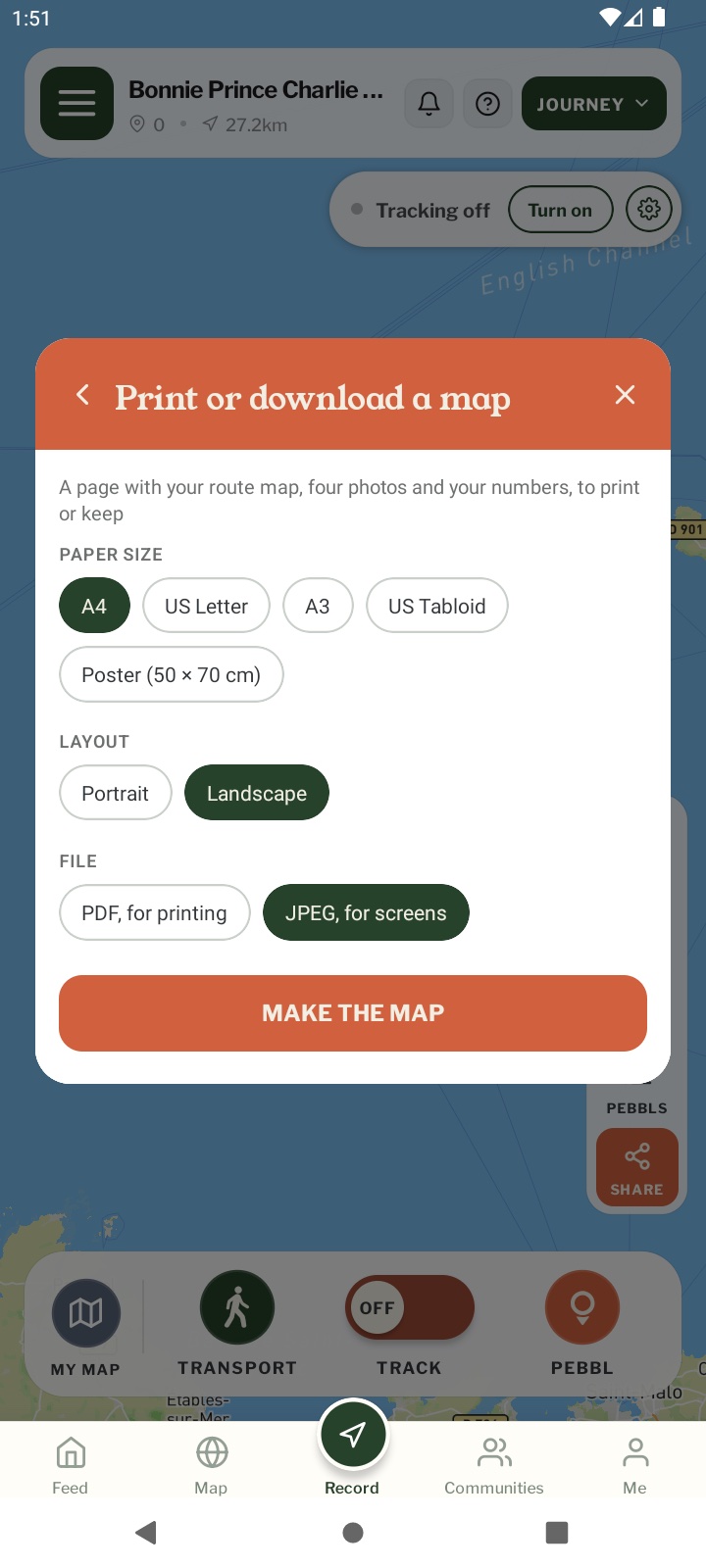
- Choose Print or download a map
- Pick the paper size, portrait or landscape, and PDF or JPEG
- Tap Make the map. It takes about 20 seconds, then it downloads
- When you browse journeys in the Pebbls app it works the same way, and the phone’s share sheet opens so you can save it to Files or Photos, print it or send it
Paper sizes
A4 and US Letter are free for everyone. A3, US Tabloid and a 50 × 70 cm poster are for Explorer members.
PDF or JPEG
- PDF: a white page, made for printing at home or at a print shop
- JPEG: a cream-coloured picture for screens, messages and social posts
Which journeys
You can print any journey you can see: public ones, private ones you have the link to, and password-protected ones once you’ve entered the password. Private pebbls, hidden chapters and hidden photos are never included.
About the map
Printed maps use OpenStreetMap, so they look a little different from the map on the website and in the app.