Sunrise, sunset and the world clock
What it's for
The sunrise and sunset page tells you when it gets light and dark anywhere, on any date: the sunrise and sunset, how long the day is, the twilight either side, and the moon. It's worked out in your browser, and it's free.
Times, Map and Clocks
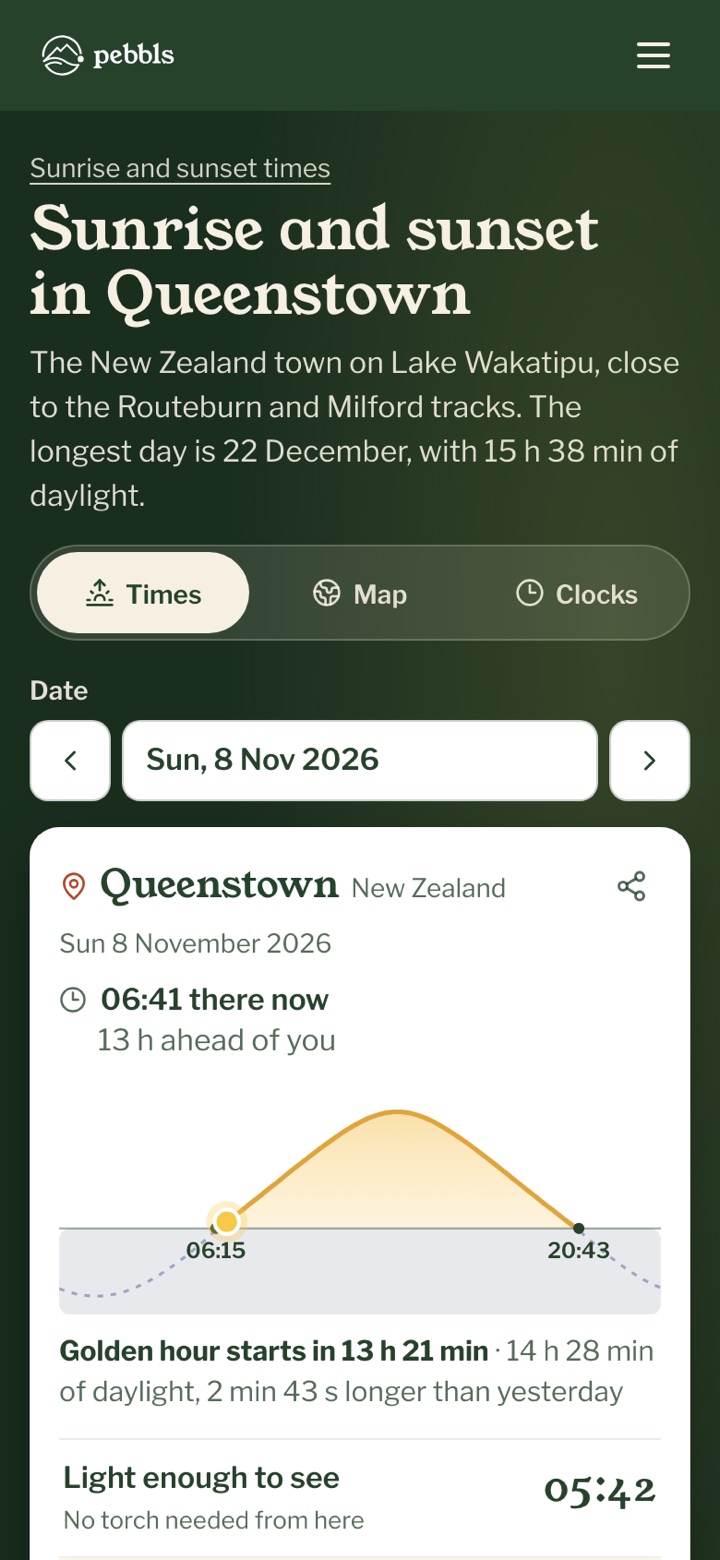
Three tools share the switch at the top. "Times" is the sunrise and sunset page, "Map" is the day and night map, and "Clocks" is the world clock.
Times for a place
- Search for a town, peak or trail under "Place", tap "My location", or tap the map
- Pick the date, or use the arrows for the day before and the day after
- The line under the chart counts down to the next sunrise, sunset or golden hour, and says how the day compares with yesterday
- Below it are "Light enough to see", "Sunrise", "Sunset" and "Dark", so you know when you'll want a torch. "All the times" opens the full list, with each twilight
- Further down, a chart shows the daylight through the year, and a table gives every day of the month
Golden hour
Golden hour is the low, warm light just after sunrise and before sunset, when photographers like to be out. Its times are under "All the times", and when it's close the countdown line says how long until it starts.
Place pages
Popular places have their own page, such as Queenstown or Tromsø. Under the place's name it says what time it is there now and how far ahead or behind you that is, and "Add Queenstown to your clocks" puts it in your world clock.
Daylight along your route
Under "Daylight along your route", choose a route file or "Try it with a sample route". Say whether you're on foot or by bike, the first day, how far you'll go each day, when you set off and your speed with stops. You get the sunrise and sunset around the town where each day ends, and whether you'll be in before dark. To name the towns a simplified line goes to our server; the file itself stays on your device.
The day and night map
The map shows day, twilight and night across the world as they are now. Move the "Time" slider or pick a date to see another moment, or tap "Play the day" and watch the light go round. "Time zones" draws the time zones over the top. Tap anywhere for its sunrise and sunset.
Your clocks
The world clock shows the time wherever you choose, whether it's light there, and how long until the sun rises or sets, which is worth knowing before you ring someone halfway up a mountain or out at sea. Add a clock by searching, with "My location", or by tapping the map. "Pick a time to see it everywhere" shows one moment in all your clocks at once. If you're signed in, people you follow who are out on a public trip show up too, with the nearest town only. Your clocks are kept in this browser, and with your account if you're signed in.
What it doesn't do
The times are for open ground at sea level. In a deep valley or behind a ridge the sun comes up later and goes down earlier, and it can't tell you whether there'll be cloud.