Safety plan
What it is
A safety plan is the note you leave with someone before a day in the hills, on the water or on a bike, or before a longer trip. It says where you're going, when you expect to be back, the time to start worrying and who to ring. Walkers call it a route card and sailors a float plan, and this does the job of either. It's free and there's no account. The whole plan is written into a link, so nothing is uploaded and nothing is kept on our side.
Filling it in
It asks one thing at a time, with "Next" at the bottom. On a computer the steps are listed down the side, so you can jump about.
- "What you're doing": the activity, then how long: "A day", "A few days" or "A long trip"
- "Who's going": names and phone numbers
- "Where you're going": a name for the trip, where you start and finish, the route in words, and the country, which sets the emergency numbers. "Add the route on a map" lets you draw the route or load a route file, if you like
- "When": when you set off, when you expect to be back, and "Worry if not back by". Pick a worry time you'd keep even on a slow day
- "Who's keeping an eye out": the person who gets the plan
- The questions a rescue team would ask, such as what colours you're wearing and where you could cut it short. The heading changes with what you're doing, for example "What mountain rescue would ask" or "What the coastguard would ask". "Add more detail" holds your kit, the car, checkpoints and notes
- "Send it": the last step
The person keeping an eye out
Choose someone who isn't on the trip and will notice if you're late. They don't need Pebbls or an account. If they haven't heard from you by the worry time, they're the one who rings you, and then the emergency number on the plan.
Check-ins on longer trips
Pick "A few days" or "A long trip" and the "When" step adds "Check-ins": a message or a call to your person at set times. Choose "Same time each day" and how often, or "Set my own" and add them one by one, each with a time to check in by and a time to worry. A late check-in on its own isn't an emergency, phones die and signal comes and goes, so set each worry time later than you'd think.
Sending it
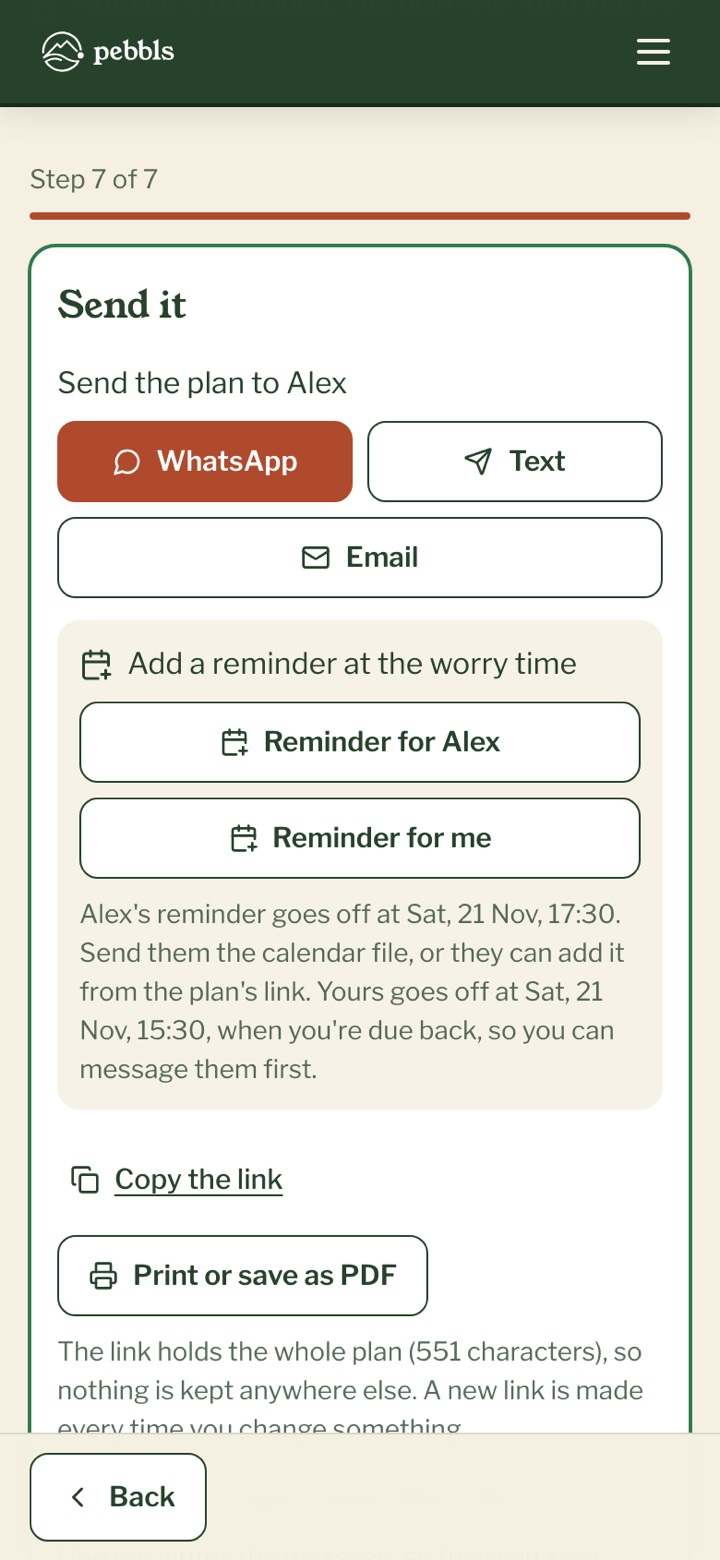
On "Send it", tap WhatsApp, "Text" or "Email" and the message is written for you, with the link in it. You can also "Copy the link", or "Print or save as PDF" for the fridge. "Add a reminder at the worry time" makes a calendar reminder for them and one for you. When you're back, the buttons under "When you're back, send them this" write a short message so they can stop watching the clock. If you're signed in and tracking a public journey with the Pebbls app, "Add my live map" puts your live map on the plan.
What they see
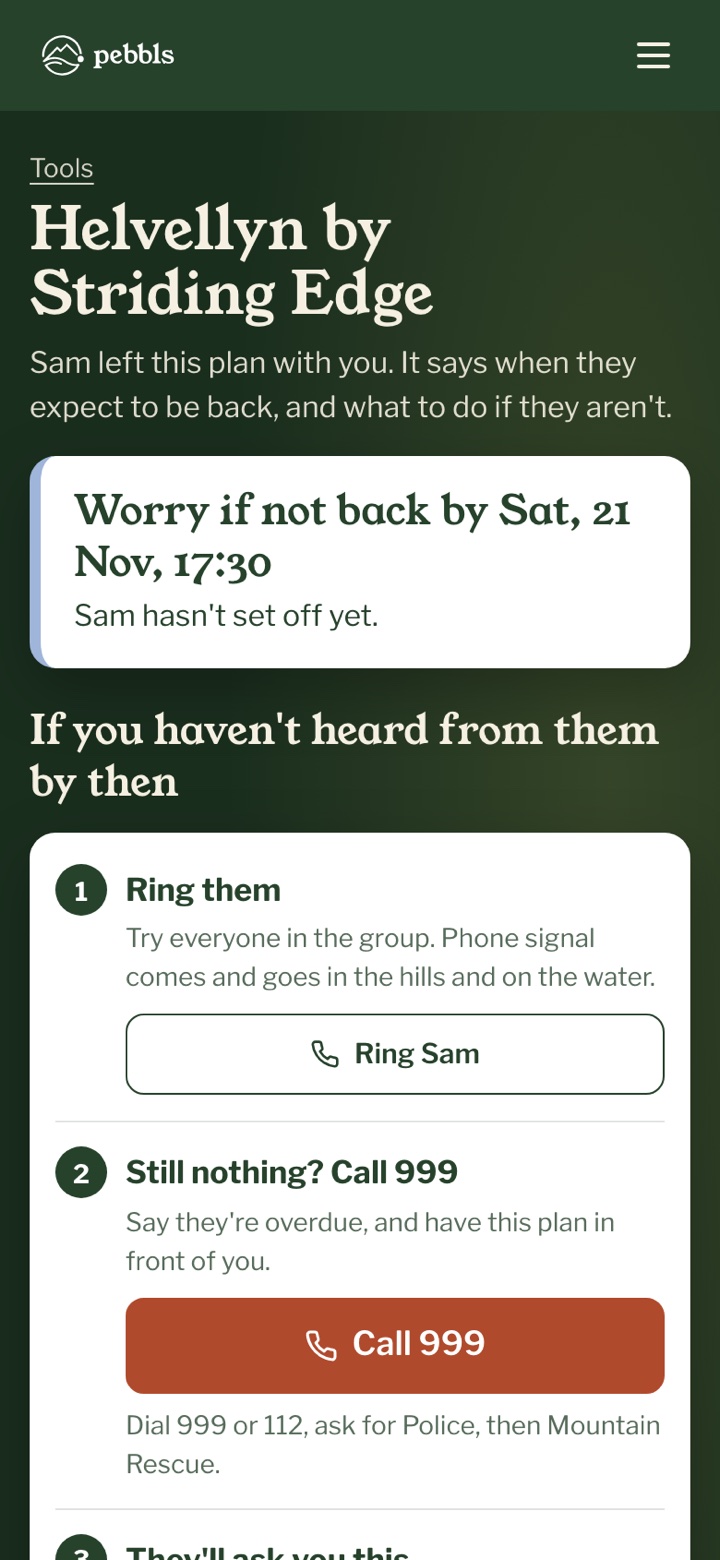
The link opens a page with the worry time at the top, then what to do: "Ring them", with a button to ring each of you, and if there's still nothing, the emergency number for the country, with a button to call it. Below that is what the emergency services will ask, and the whole plan. Once you've set off they can tick "I've heard from them" at each check-in, or "They're back" when you're home. The ticks stay on their phone.
A blank route card
If you'd rather write it by hand, the route card page has "Print a blank route card", with room for each leg, grid references, bearings and timings. For a boat, the float plan page has "Print a blank float plan".
In the Pebbls app
The app has the same safety plan under TOOLS on the Record map. It fills in what it can from your trip, and reminds you on your phone when you're due back. See Safety plan in the app.
What it isn't
Pebbls isn't an emergency service. Nobody here watches your plan or the clock, and we don't send anything at the worry time; the reminders go in your own calendars. If you're in trouble, call the local emergency number yourself.