Badges and countries
Badges for how you travel
Pebbls badges reward slow, low-carbon and adventurous travel: distance under your own power, trains and ferries, borders crossed overland, time taken and stories written. They are earned automatically from your tracked journeys and Pebbls; there is nothing to claim, and flights never count towards anything.
The badges
- Wayfarer: distance under your own power (bike, foot, paddle or sail)
- Rail Rover: distance by train, bus, tram or ferry
- Overlander: countries reached without flying
- Globetrotter: continents explored
- Ocean Voyager: seas and oceans with a Pebbl on them
- Slow Nomad: one journey lasting weeks or months
- Local Legend: days documented in one country
- Flight-Free Pioneer: journeys of 1,000 km or more without flying
- Trail Chronicler: Pebbls with a written story
- Pedal Pilgrim, Trailwalker, Paddle Pioneer, Wind Chaser and Waterway Wanderer: distance by bike, on foot, by kayak or canoe, under sail and by motorboat or canal boat
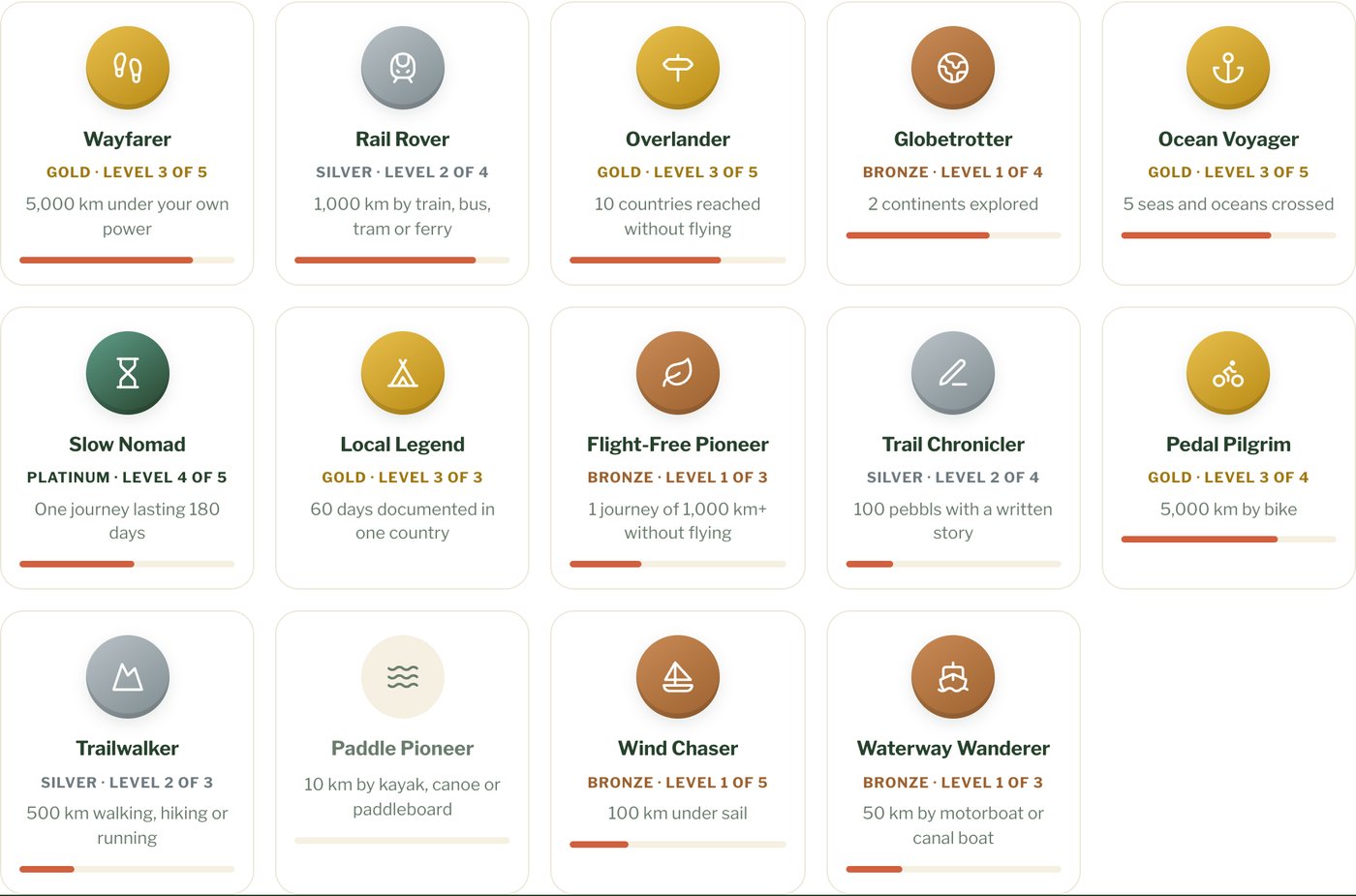
Levels
Each badge has levels, from Bronze through Silver, Gold and Platinum to Legend, and your profile shows you how far you are from the next one. Badges count all your journeys, private ones too: unlisted and password-protected journeys, hidden chapters and private pebbls. A badge only shows its name and level, never where you went, and the km on your profile still only add up your public journeys. Pebbls still inside a location mask are left out until the mask has passed, and test journeys never count.
Where to see them
Your badges are on your public profile on the website and in the app under My Account. To keep them to yourself, turn off Show my badges on my profile, under Settings › Communication on the website or Settings › Notifications › Badges in the app. You'll still see them; nobody else will. When you earn a new level you get a notification (push at most once a day; big milestones by email at most once a week). Turn these off under Settings › Notifications › Badges.
Your countries map
The map on your profile shows the countries you've been to on your public journeys, plus any you add yourself. To add more, open My countries map in the account menu on the website, or tap Edit my map on your profile. Under Mark as, pick Been, Lived or Want to go, then tap countries on the map, or open the List tab and tap the flags. Tap a sea or ocean, or find it under Seas and oceans, to mark it as Sailed. Want to go stays private; the rest shows on your profile. Countries from your journeys stay on the map, but you can mark them as lived.
- Save as a picture on your profile makes a picture of your map in four sizes: Wide, Square, Instagram post and Instagram story
- On someone else's profile, Compare with mine puts their countries and yours on one map, with one colour for where you've both been and one each for the places only one of you has been. If you haven't marked any countries yet, the button says How many have you been to? and the comparison fills in as you tap yours. When you're signed in it uses your Pebbls map
- The same map is free for anyone at www.pebbls.com/countries-visited-map, without an account. If you're signed in it's saved to your account, and See it on your profile takes you there