How to save phone battery while you track a journey
A full day of tracking with Pebbls is normal on most phones. The screen, the camera and hunting for signal use more power than the GPS does. Still, a flat phone on day three of a walk means a gap in your route, so it's worth knowing what helps.
Standard or Live
The app records your position in the background, with the screen off, roughly every 15 metres you move. What changes between the two modes is how often that goes up to Pebbls.
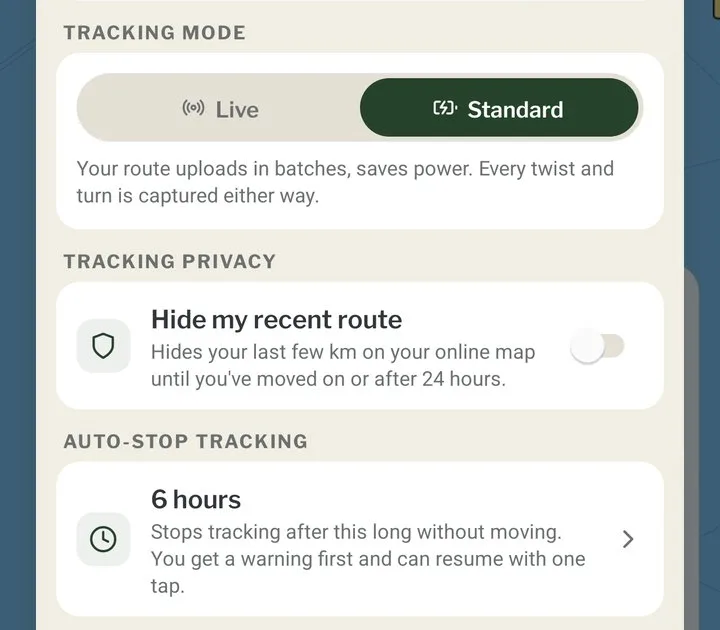
Standard is the default. Your route is saved on the phone and sent a few times an hour, so the website map can run a little behind you. It uses less battery.
Live sends your position as you move, and people following can watch you on the map in real time. It uses more battery, and it uses mobile data even if you've set uploads to Wi-Fi only.
Both record the route with the same accuracy. Unless someone needs to see where you are right now, stick with Standard. You can switch in Settings › Tracking, or with the gear on the tracking bar.
Let auto-stop do its job
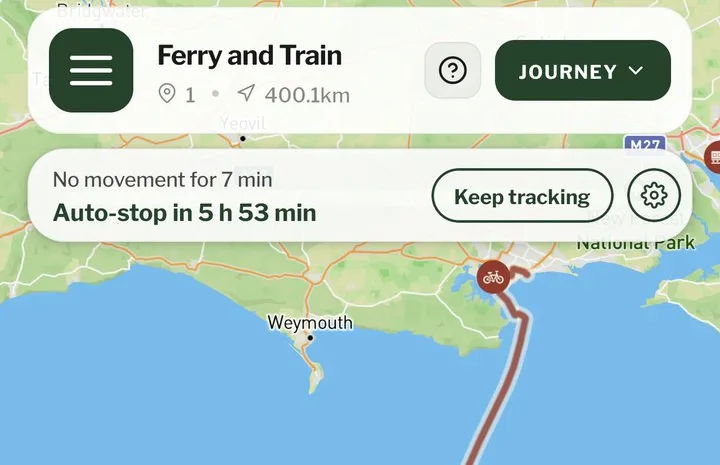
When you're not moving, the app only saves a small check-in point every 3 minutes, so a day parked up costs very little. But if you forget to stop tracking, it can run all night. Auto-stop turns tracking off when you haven't moved for a set time, 6 hours unless you change it. You get a notification with a Keep tracking button before it stops, and one with Resume tracking after. You can set it as short as 30 minutes or as long as 48 hours, or switch it off, in Settings › Tracking.
Android: battery optimisation
Some Android phones, Xiaomi, Huawei and OnePlus especially, close apps in the background to save power. For Pebbls that means tracking stops and the route has gaps. In your phone's settings, turn off battery optimisation for Pebbls. Every brand puts the setting somewhere different, and dontkillmyapp.com shows where it is on each one.
While you're in the settings, check the location permission for Pebbls is set to Allow all the time (on iPhone it's called Always). With anything else, recording can stop when Pebbls isn't on the screen.
Don't swipe Pebbls away to close it. Leave it running in the background.
Power saving modes
When battery saver or Low Power Mode is on, phones slow down or pause apps working in the background, and your route can come out patchy. Pebbls warns you when it's on, and again when the battery gets down to 15%. If you can, leave power saving off while you track and save power in other ways:
- Turn the screen brightness down.
- Close apps you're not using, especially ones that keep refreshing in the background, like social media and email.
- Somewhere with no signal at all, turn on airplane mode so the phone stops hunting for a network. Then check location services are still on, and turn them back on if not. Pebbls keeps recording and uploads once you turn airplane mode off and find signal.
Charging on the go
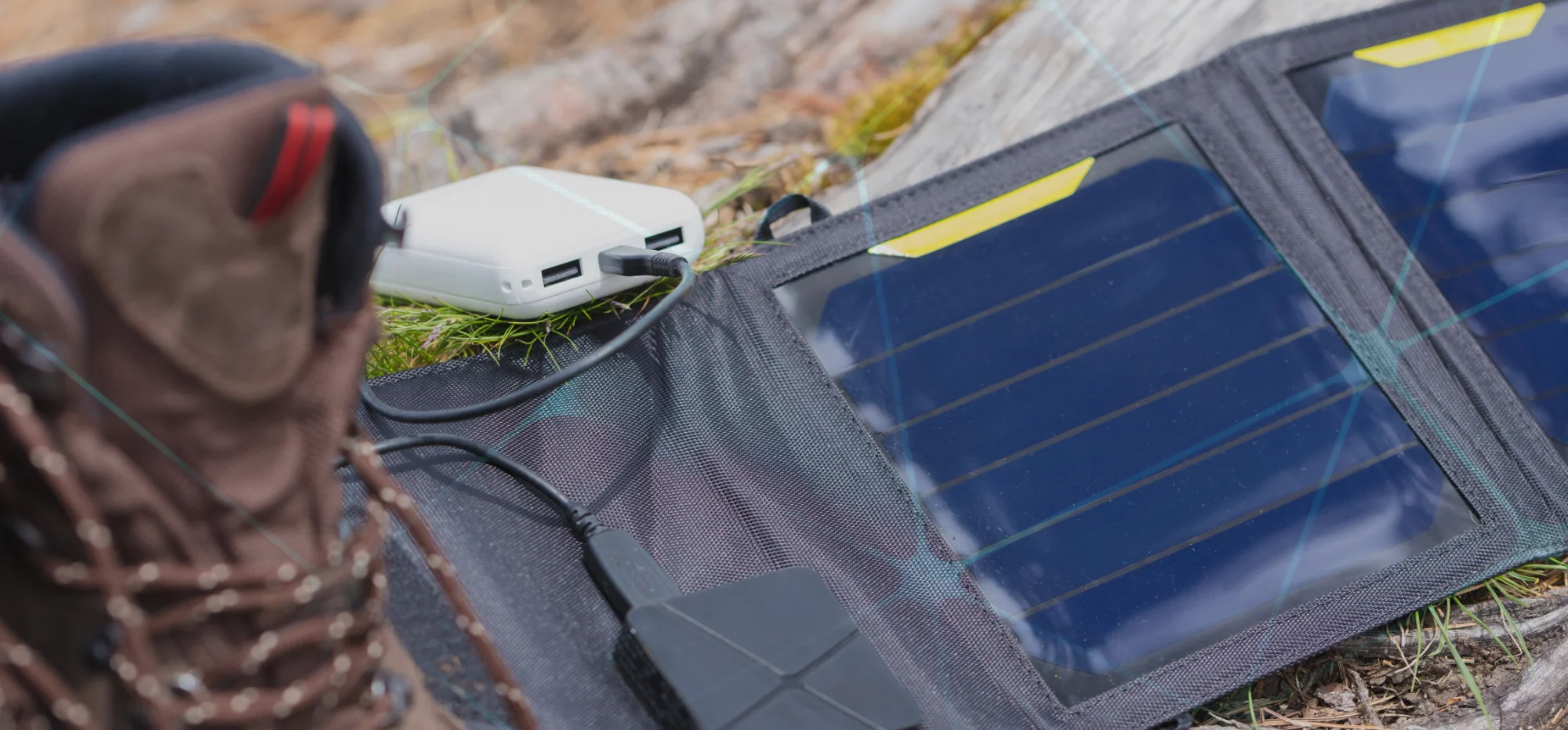
Power banks. Carry one, and top it up whenever you stop somewhere with a socket. If you're off-grid for days, two are handy: charge one (from a solar panel, say) while the other charges your phone, then swap.
Solar panels. On the European part of our ride from the UK to Georgia, over three months, we never plugged into a socket. We strapped solar panels to the back of the bikes and let them charge through the day. Even under cloud you get a trickle as long as it's daylight.
Charge a power bank from the panel rather than your phone. The phone stays tucked away, the power bank collects whatever comes in, and you charge the phone from it whenever it suits you, day or night.
In a car or van. Use the USB port or a 12V socket adapter while you drive.
Everything above is free except Live, which comes with an Explorer membership along with private journeys, videos in your pebbls and more offline map regions.
There's more in the help on GPS tracking and Live and Standard tracking.