How to put your journey map on a WordPress site
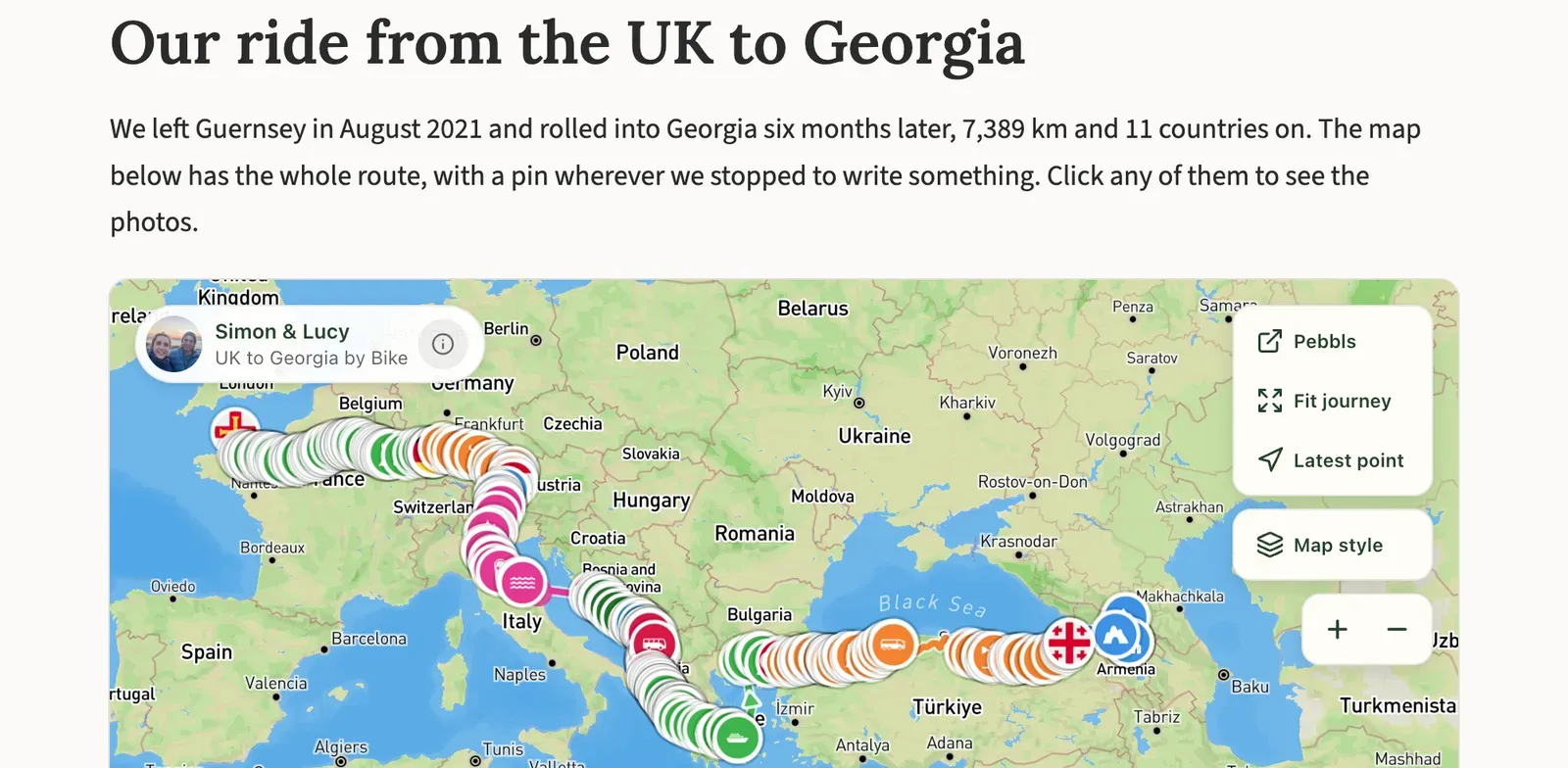
If you write a travel blog on WordPress, you can put a live map of your journey on any post or page. It shows your route and your pebbls, and it keeps up as you travel, so a post you wrote before you left goes on showing where you've got to.
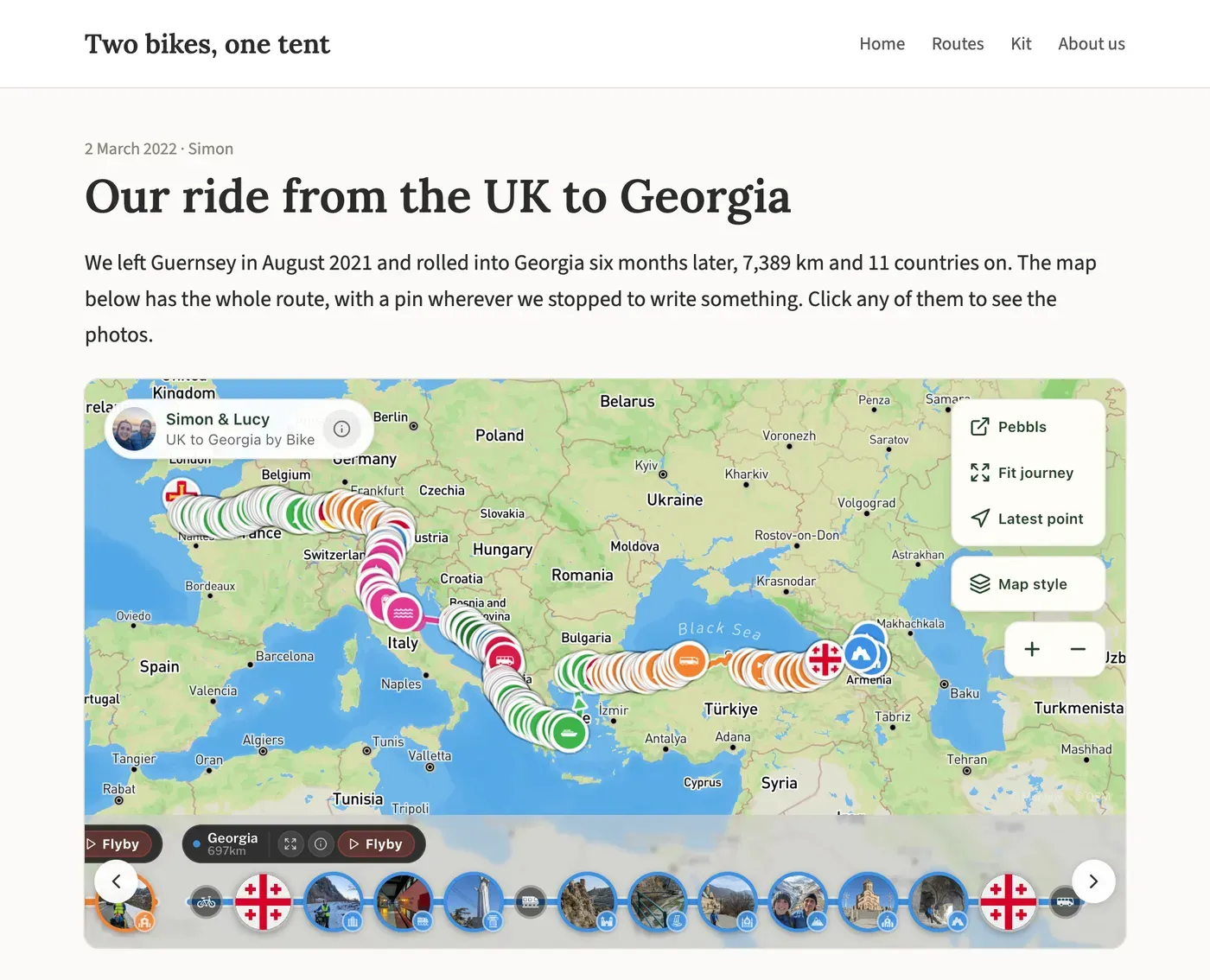
The plugin is called Pebbls Journey Map Embed. It's free on wordpress.org, and embedding a map is free on Pebbls too.
Setting it up
- In WordPress, go to Plugins, add a new plugin, search for "Pebbls Journey Map Embed" and install it. In the Pebbls app, JOURNEY › Edit Journey › WordPress Plugin takes you to the same plugin page.
- Add the Pebbls Embed Journey Map block to a post or page.
- In the block's sidebar, paste your journey's link, the one you'd send to friends (for example www.pebbls.com/adventure-map/you/coast-to-coast), and press Validate Journey. The map appears.
There's a quicker way too: paste the link on a line of its own in your post, and it turns into the map block by itself.
You don't need an API key or a Pebbls login on your website. A link to the journey's map, journal or flyby page will work.
Options in the block
- Pick from an explorer's journeys: type a Pebbls username, press Find journeys and choose one, instead of pasting a link.
- Always show latest journey: the block shows the newest public journey from that username, so the post stays current when the next trip starts.
- Show journey stats: a line under the map with the distance, days and countries.
- Load map on click: visitors see a photo from the journey, and the map only loads when they click it. It keeps the page quick.
- Map Height (px), Rounded Corners and Outline Border change how the map sits on your page.
The map and the line under it come in English, French, German, Spanish or Italian, following your site's language.
If you use the classic editor or a page builder, a shortcode does the same job:
[pebbls url="https://www.pebbls.com/adventure-map/username/journey"]
It takes the same options: height="500", stats="yes", click="yes", rounded="no" and border="yes". For your latest journey, use user="username" latest="yes" instead of the link.
Only public journeys can be embedded. Private and password-protected journeys can't.
Not on WordPress
Any website that lets you add your own code can show the map. In the Pebbls app, open the share sheet and tap Embed on Website. Choose a height, a corner radius and a map style, tap Copy Embed Code, and paste it into an "Embed" or "Custom HTML" block on your site. For now the code comes from the app; the Journey Dashboard on the website doesn't have it yet. The help page on embedding has more.
What visitors see
Your route, your pebbls (they can open them for the photos and notes) and a small Pebbls button that opens the full journey page. They don't need a Pebbls account.
Pebbls is a free app that records your route as you travel. You drop pebbls along the way, photos and notes pinned where they happened, and it all builds into a map and a journal of the journey. Most chapters get a flyby film as well. Get Pebbls free.