Undo, history and going back to the original
Undo and redo
The arrows at the top undo and redo your changes one at a time. On a computer, Ctrl-Z undoes and Ctrl-Shift-Z redoes (Cmd on a Mac).
Changes you haven't saved
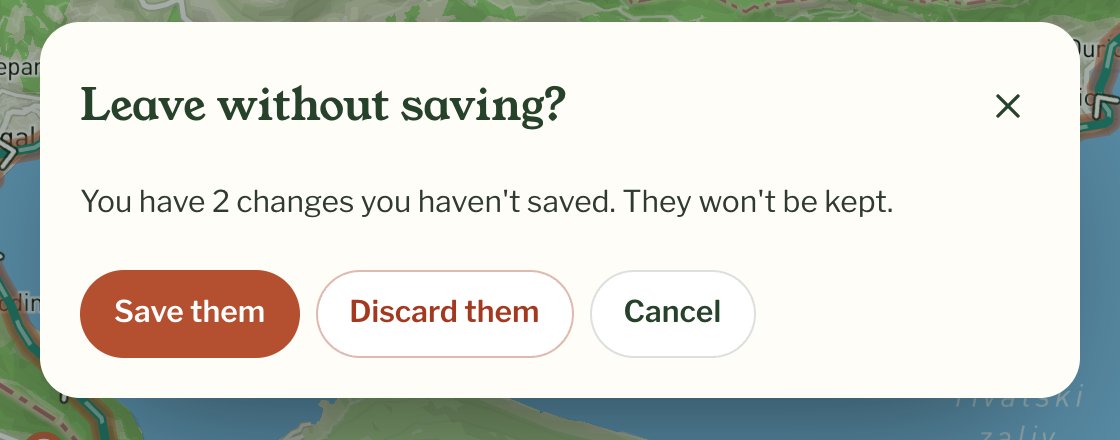
Until you press Save, your changes are kept only on the open page. If you close the tab, your browser asks whether you want to leave. All days, or the back arrow at the top left, asks Leave without saving? and offers to save them. Changes you didn't save aren't kept for next time.
History
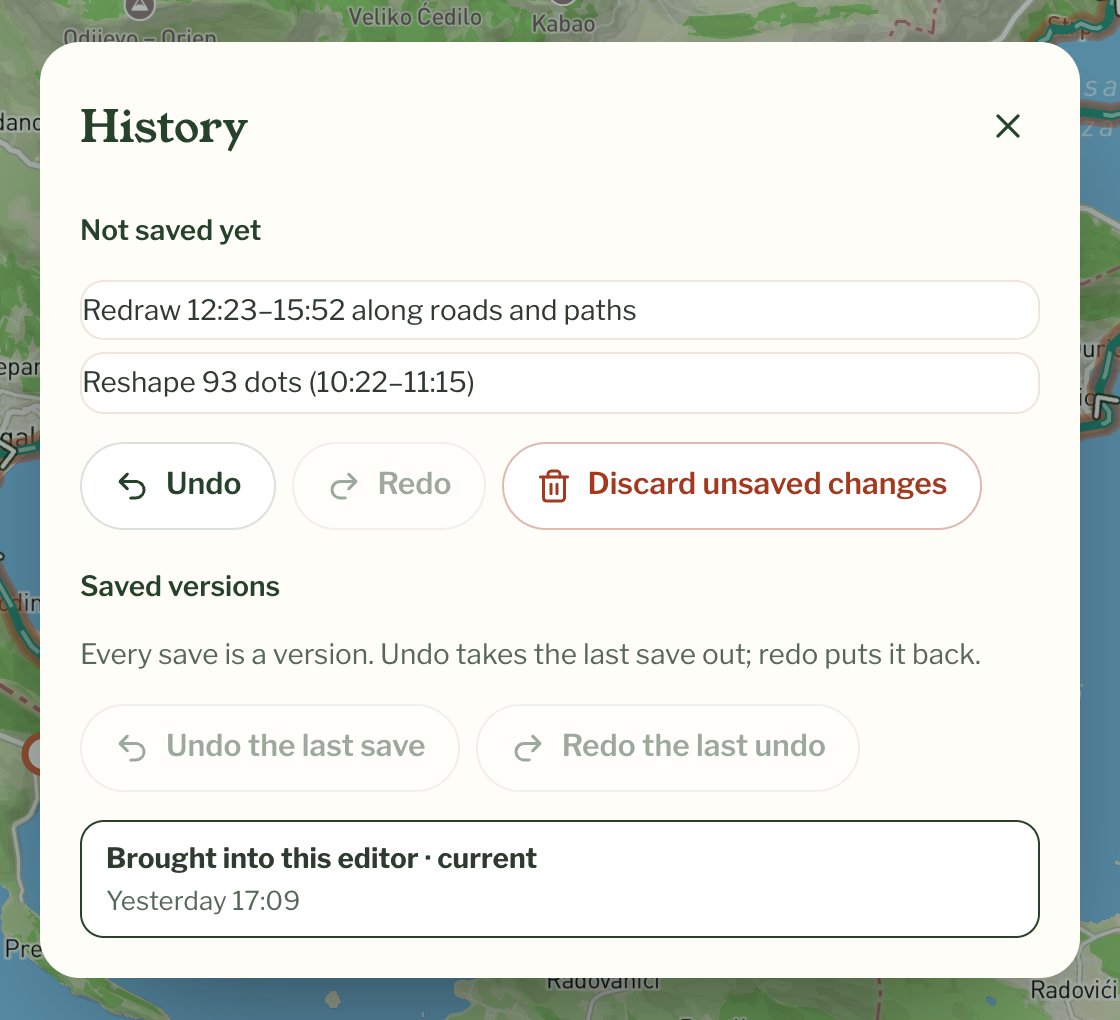
The clock button at the top opens History. Not saved yet lists the changes waiting to be saved, with Undo, Redo and Discard unsaved changes. Discarding drops them all and takes you back to your last save; your earlier saves stay as they are. Saved versions lists every save with its date, and your note if you added one.
Undoing a save
Every save is a version. Undo the last save, under Saved versions, takes the most recent save out again, and Redo the last undo puts it back. If you have changes not saved yet, you're asked before it goes ahead.
Going back to what your phone recorded
Restore the original route, under More on any stretch, switches off every change made to this chapter's route and shows it as your phone recorded it. It asks first. It counts as a change like any other, so it isn't final until you press Save, and you can undo it afterwards with Undo the last save.