How to make an animated travel map of your trip (free)
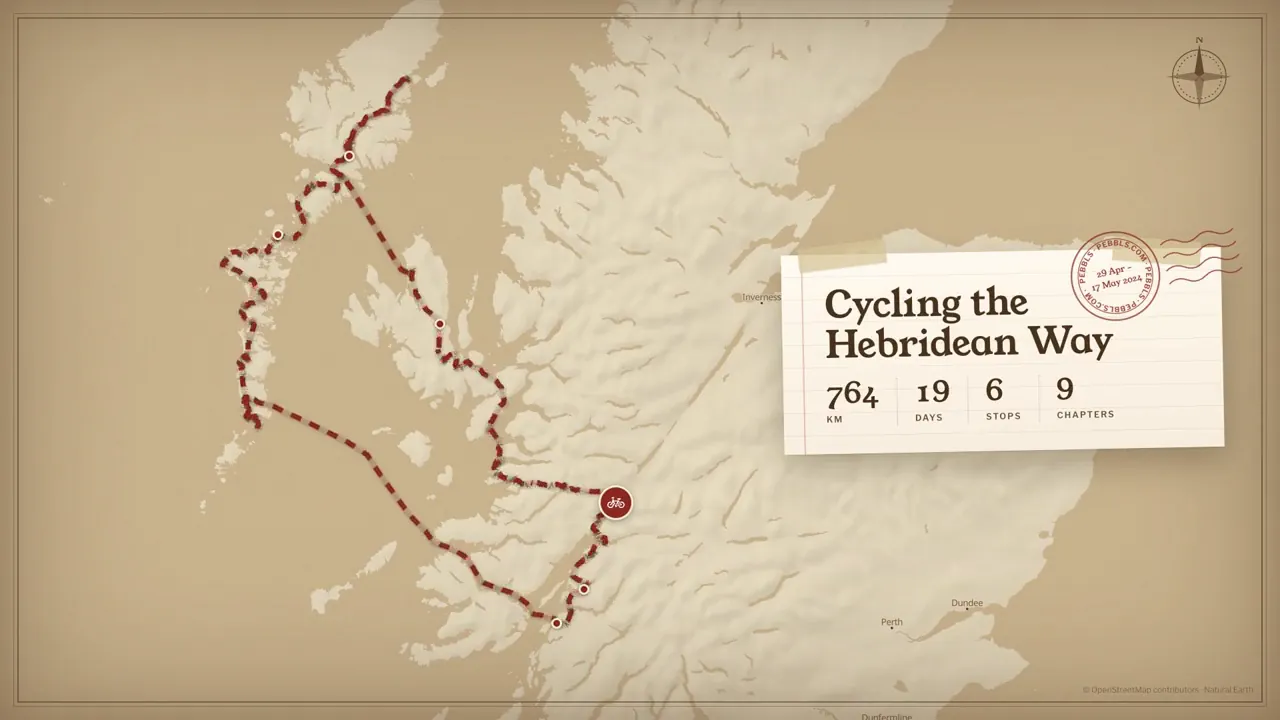
An animated travel map is a short video of your trip: the map comes up, your route draws itself from the start to the end, and it slows down at the places you stopped to show their names. A three-week bike tour or a fortnight in a campervan becomes 30 seconds you can post on Instagram or send to the family. Here's how to make one for free, from a route you recorded, a file from your watch or just the list of places you went.

What you need: your route
The map needs to know where you went. There are four ways to give it that, and you don't need to have recorded anything.
A trip you tracked with Pebbls. If you recorded the trip in the Pebbls app, sign in and pick the journey. The real route comes in chapter by chapter, with your stops already on it.
A file from your watch or another app. Strava, Garmin, Komoot, AllTrails and most bike computers let you download a ride, walk or route as a GPX file: a small file with the line of your route in it. Look for Export or Download GPX on the activity page, then upload it. KML, TCX and GeoJSON files work too, and so does the zip Polarsteps gives you when you download your data.
Type the places. For a trip you didn't record, type the places in the order you went through them (Fort William, Mallaig, Skye, Harris…) and say how you got between each pair: bike, foot, car, train, boat and so on. Bike, foot and road legs follow real roads, and train, ferry and boat legs are drawn as a gentle curve. Tap any leg to draw it straight or curved, or to send it through a town on the way.
Draw it. Tap along your route on the map, point by point. The line can follow roads and paths or go straight.
How to make it, step by step
All of this happens in Animated travel map, in your browser. There's nothing to install, it works on a phone, and you don't need an account.
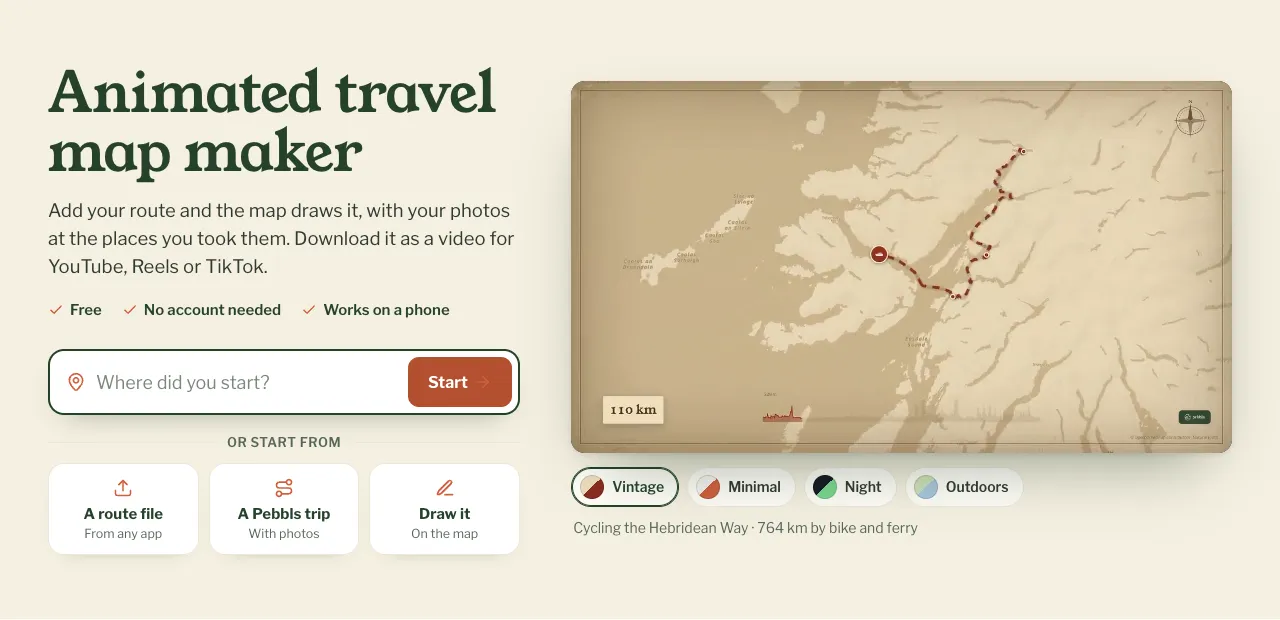
1. Add your route. Type where you started, or choose a file, a Pebbls trip or drawing it yourself. The preview starts playing as soon as there are two places.
2. Choose a style. There are four. Vintage is old parchment with a marching dashed line, the look people mean when they ask for an "Indiana Jones map". Minimal is clean and pale with one bold line. Both are free. Night (a dark map with a glowing route) and Outdoors (greens, water and trails) come with Premium.
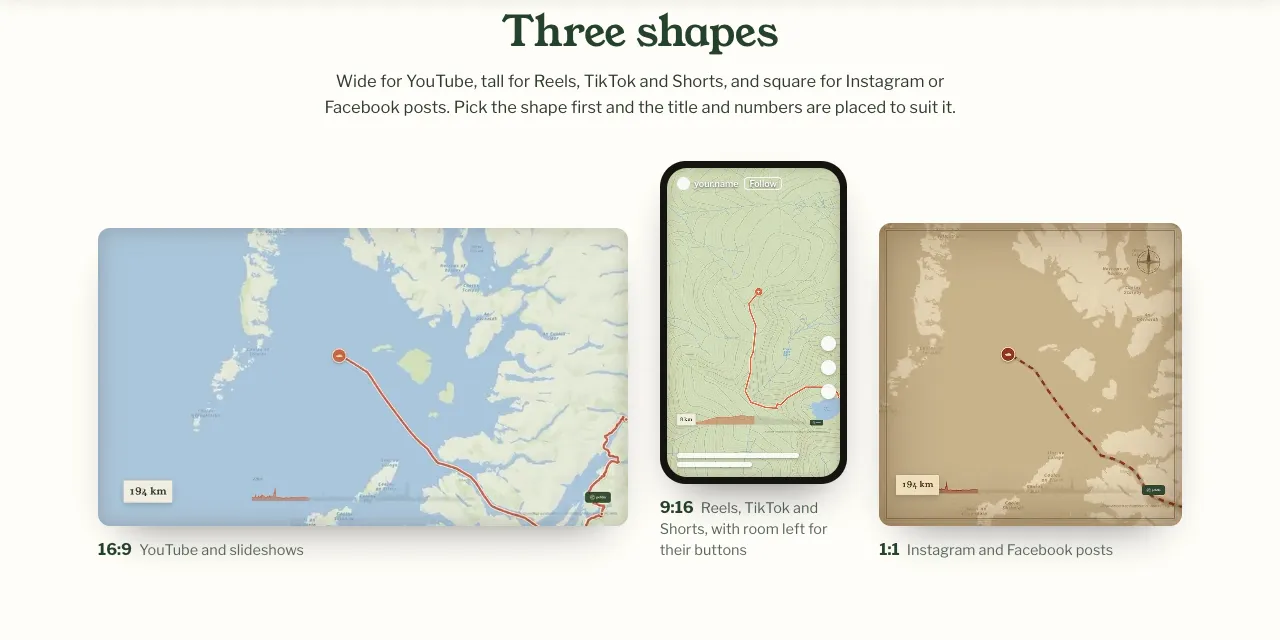
3. Pick a shape. Wide (16:9) for YouTube and slideshows, tall (9:16) for Reels, TikTok and Shorts, or square (1:1) for Instagram and Facebook posts. Pick it before you fine-tune anything, because the title and the numbers on screen move to suit the shape. The tall one leaves room for the buttons Reels and TikTok put down the side.
4. Name your stops and add a title. Stops are where the animation slows down and shows a name: a campsite, a summit, a ferry port. Add dates to them if you like, and a title for the whole thing. Until you write one, the title is your first and last place.
5. Set the length. Type the exact length you want, up to 30 seconds on a free animation.
6. Make the video. It's made on our render machine and usually takes a few minutes. You can close the page: we email you the link. Download it when it arrives, as videos are deleted after 24 hours. Your map stays if you're signed in, so you can make it again later.
Tips for a good one
Keep it short. 15 to 30 seconds is plenty for Reels and Stories. People watch a route draw itself for about that long before they scroll on.
Don't name every stop. Five to eight named places reads better than twenty. Pick the ones people will know, or the ones that matter to you: where you started, the big crossing, the end.
Give the stops dates. The date then changes as the line moves, so people can see how long each part took.
Add music on the app you post to. The video has no sound, so you can choose your own. On Instagram, add a track from its music library when you post the Reel.
Make the tall version for Reels. A wide video in a Reel ends up small in the middle of the screen. The 9:16 one fills it.
Animated map, flyby film or 3D route video?
Pebbls makes three kinds of trip video, and they suit different things.
Animated travel map shows the whole trip at once on a flat map: the shape of a tour, a country crossed, a coastline followed. It's the one for a trip of many days.
A 3D route video flies a camera along your route over the real landscape, with the hills and valleys in 3D. It suits one day: a big ride, a climb, a hike. You can make one free from a GPX file or a route you draw.
A flyby film is made for you automatically, free, for every chapter you track with the Pebbls app: a 3D flight along that day's route with your photos along the way.
If you're not sure which you want, this page shows them side by side. They work well together: an animated map for the whole trip, then a 3D video for the best day.
Quick answers
Is it free? Yes. Free animations are Full HD (1080p), up to 30 seconds long, with up to 10 named stops on a route of any length, and a small Pebbls mark in the corner. You don't need an account. If you do sign up, your account comes with one free credit, so you can try a Premium animation without paying.
What does Premium add? Photos at your stops (up to three at each, shown as prints on the map), the Night and Outdoors styles, 4K, up to 3 minutes, one clip per chapter, and no Pebbls mark (you can put your own logo there instead). It costs one credit an animation, and making it again after a change is free. Credits come in packs of 6 for £14, $18 or €16 and don't run out, and Pebbls Explorer members get 12 a year.
Can I post it on Reels, TikTok or YouTube? Yes, it's yours to post. Choose the tall shape for Reels, TikTok and Shorts. The OpenStreetMap credit stays in the corner, as the map data asks.
Can I make one of a trip I didn't record? Yes. Type the places in order, or draw the route on the map.
Do I need to download an app? No. It runs in the browser on a phone, tablet or computer.
Want to see some first? Animated maps of real trips shows journeys people tracked with Pebbls, played back with their own photos. Then make your own animated map. It's free and takes a few minutes.